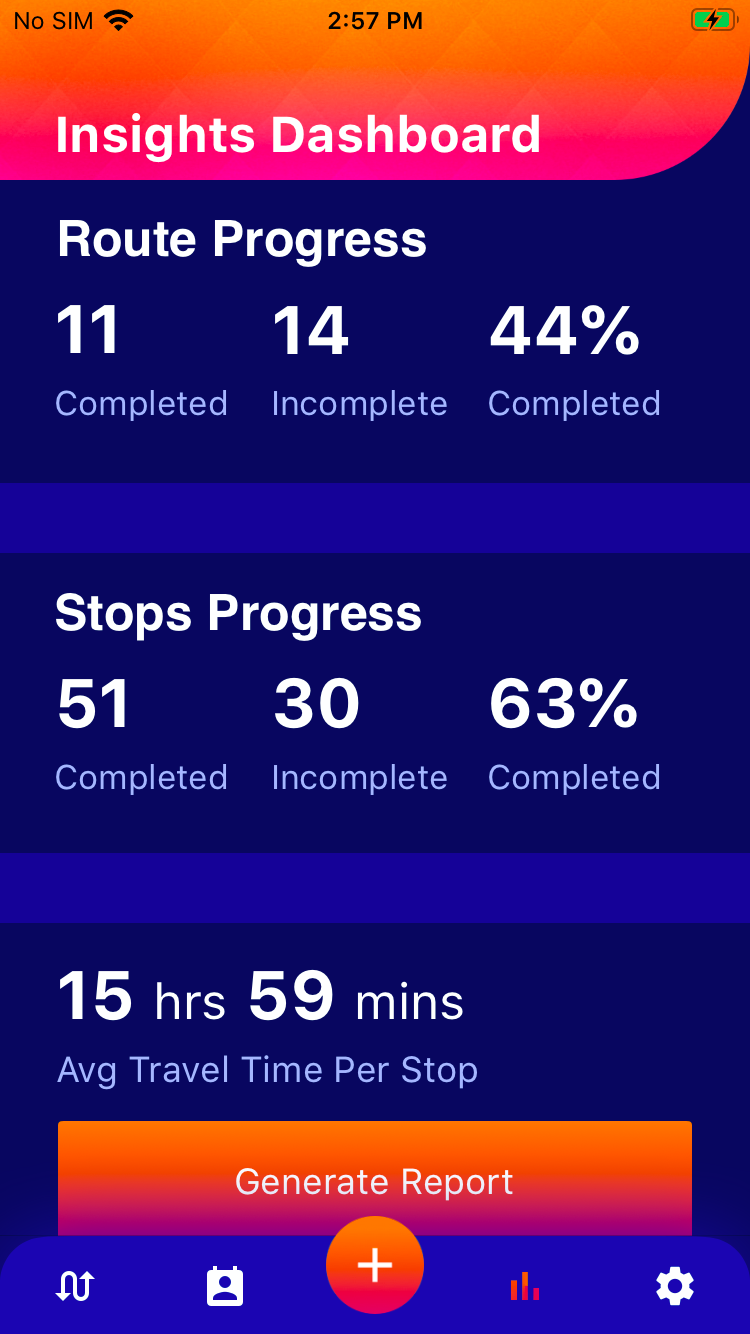
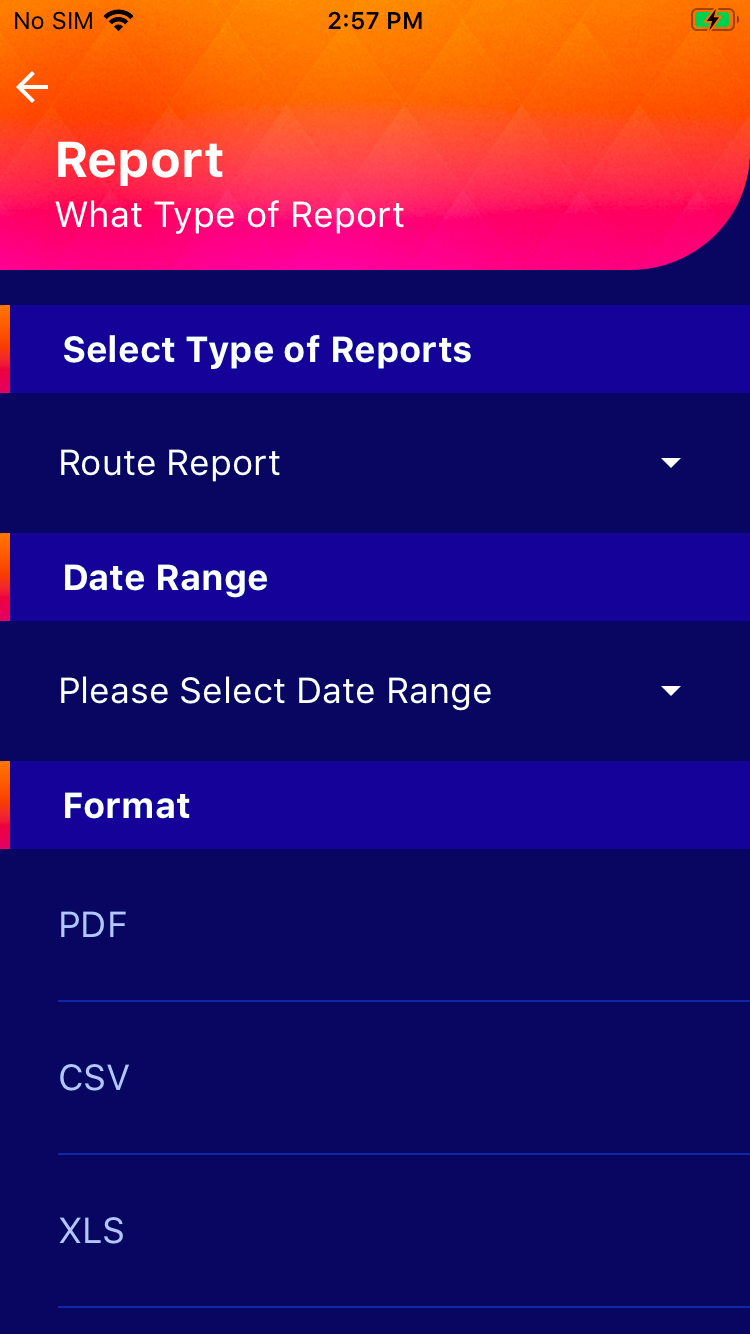
How can I generate the report?
Route Planner App gives you a detailed report for all your routes which are active, upcoming and completed during a set amount of time.
There are two types of reports you can generate from the app:
|
To generate a Route Report:
|
To generate a Route Stop Report (for a detailed report of each route):
|

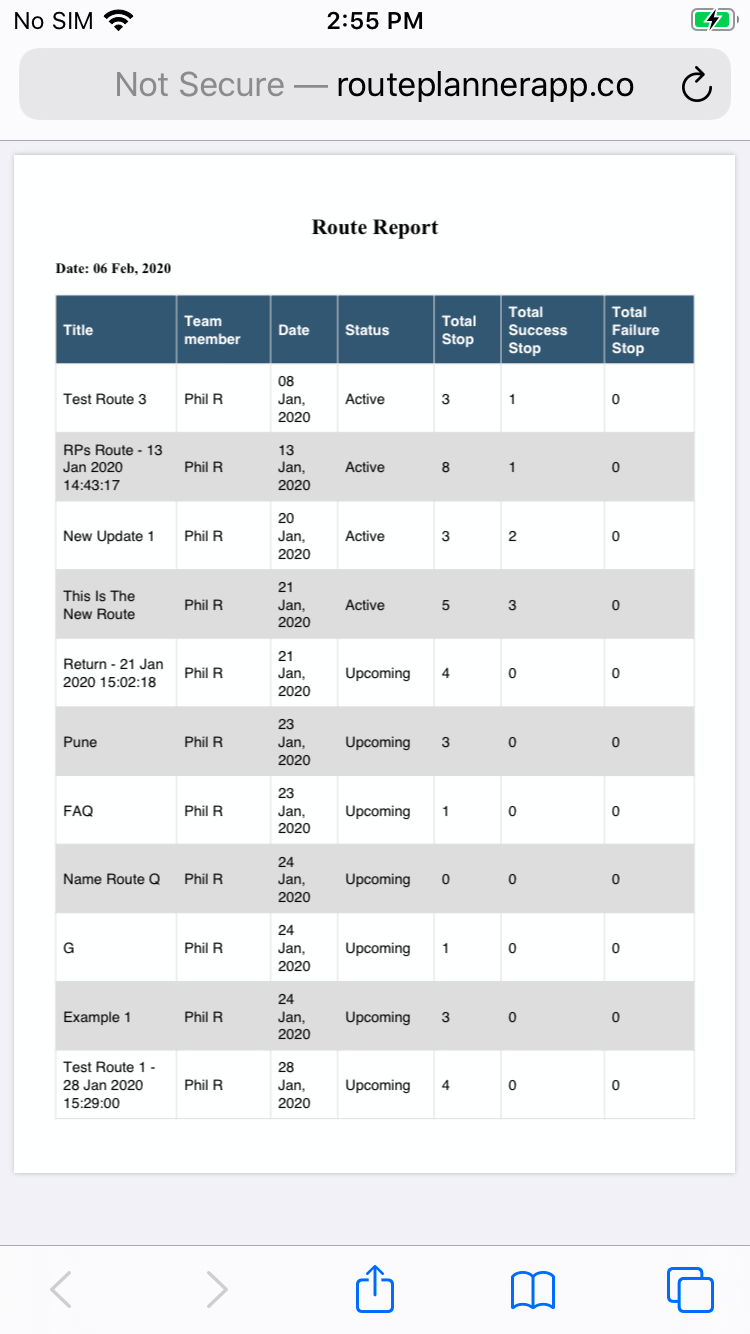
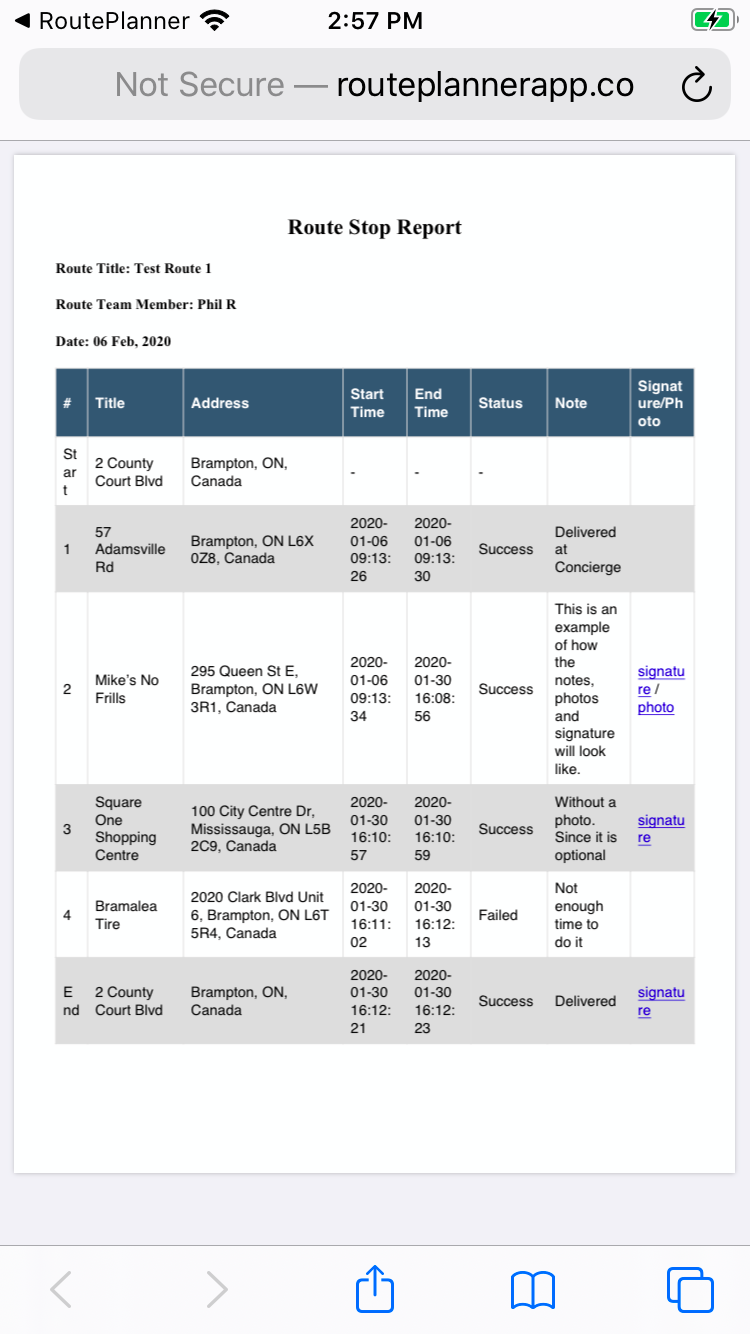
This will:
- Send a report to your registered email address automatically
- Give you the option to share the report via multiple sharable options like email, messenger apps, AirDrop, etc.
- Give you an option to view and save a PDF copy of the report on your device