What does Average Time per stop mean and how do I set it?
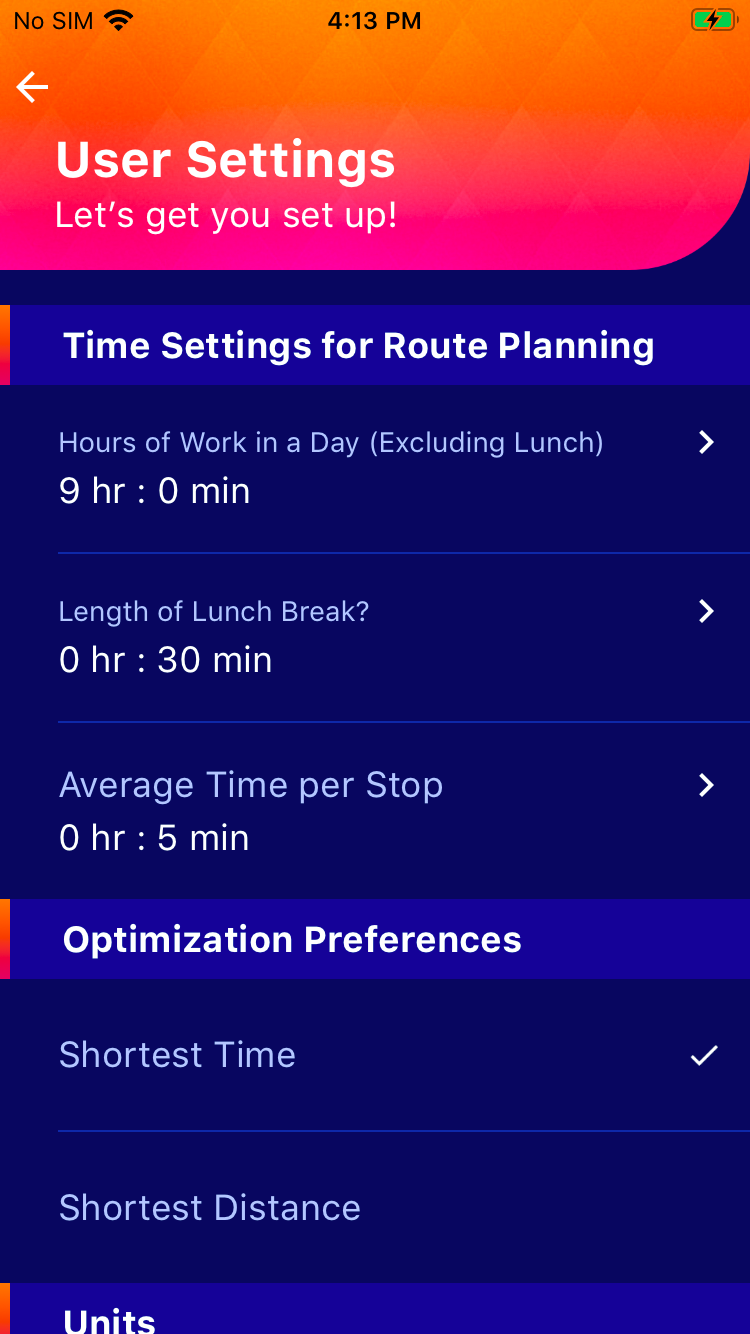
Route Planner App allows you to set Average Time for each delivery/to stop you make along the way on each route. This helps the app calculate a more accurate estimated time of arrival for the next stop and a more accurate total time to complete the optimized route.
For example, you are run a parcel delivery business for a shop, and you take about 5 minutes for each stop. This includes the time for you park the vehicle, get the right package to deliver, hand it over to the customer, take a signature on the Route Planner App, going back to the vehicle. These 5 minutes with 12 stops in a route will account for an hour of your time in deliveries. Setting the Service Times for each route will account for the total time required to complete the route.
To set this average time per stop:
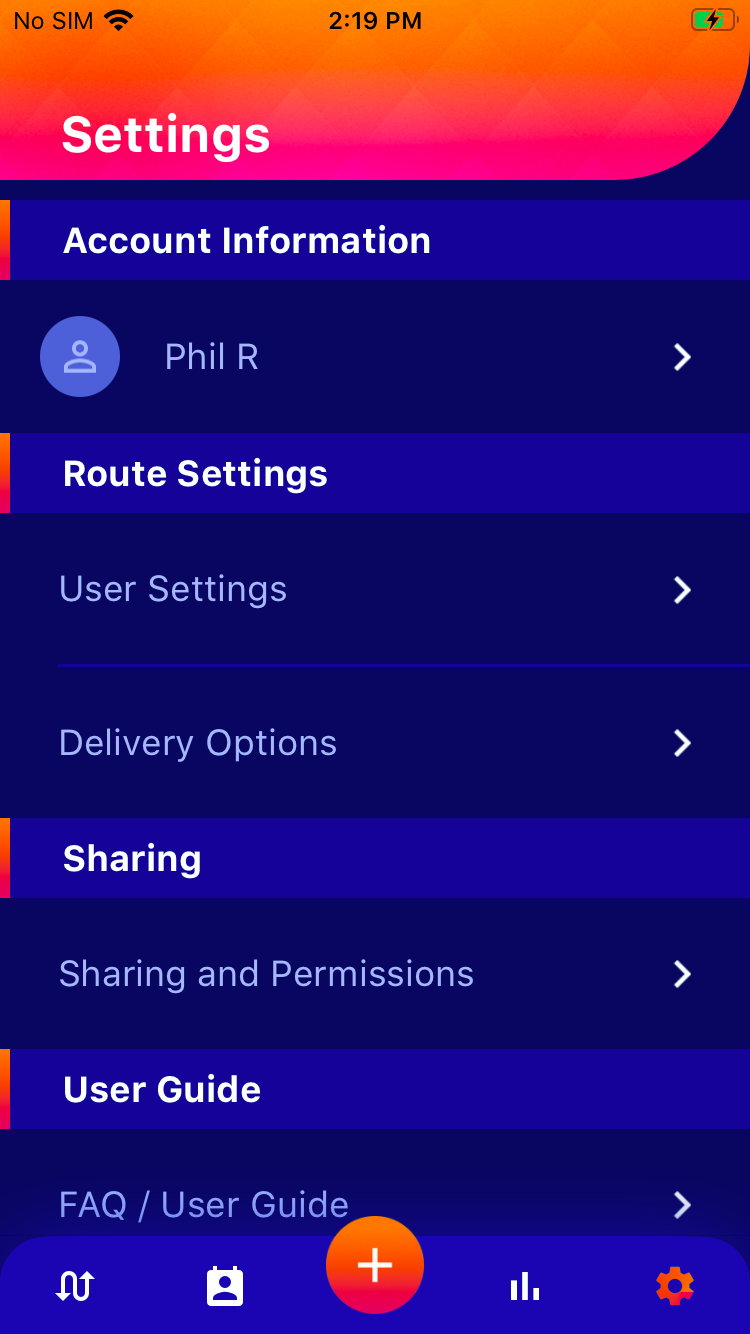
- Click the settings button
- Click on the "User Settings" under Route Settings
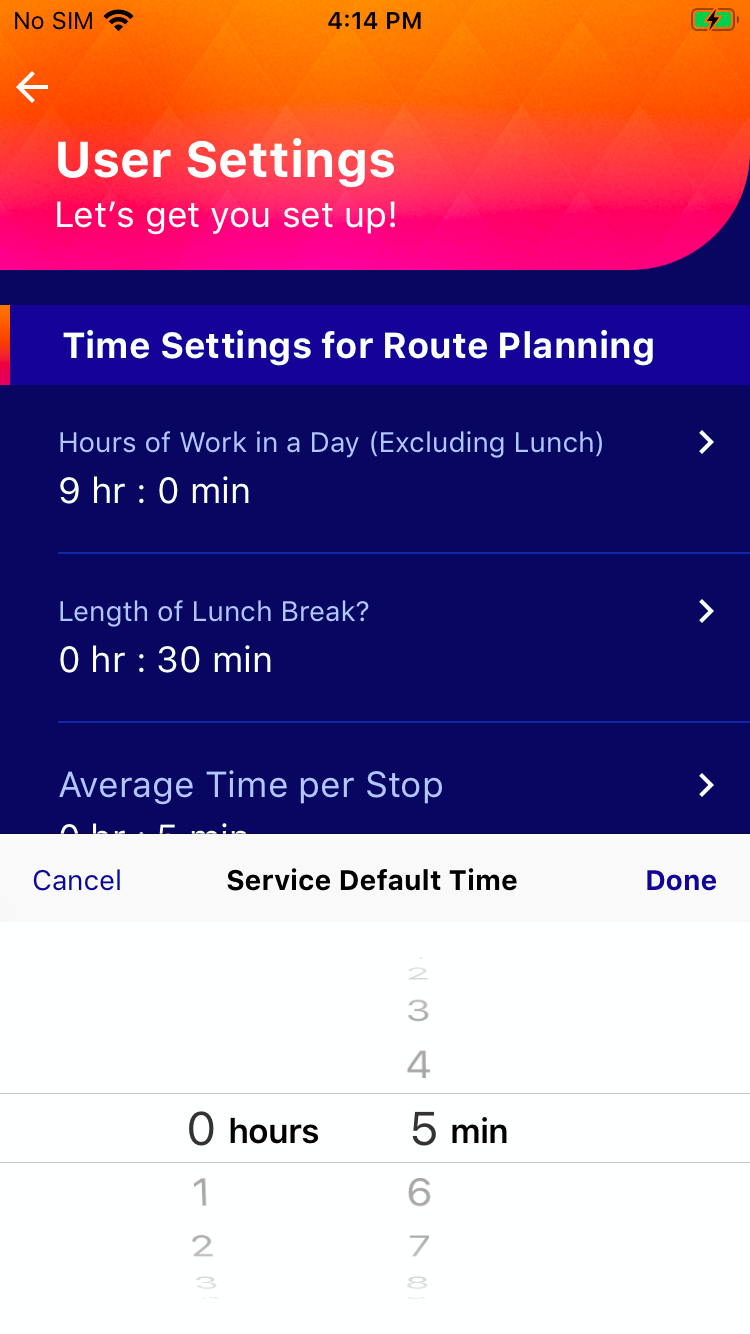
- Under "Time Settings for Route Planning", Click on "Average Time per Stop"
- Set the time in hours and minutes as per your requirement