How to edit stops in routes?
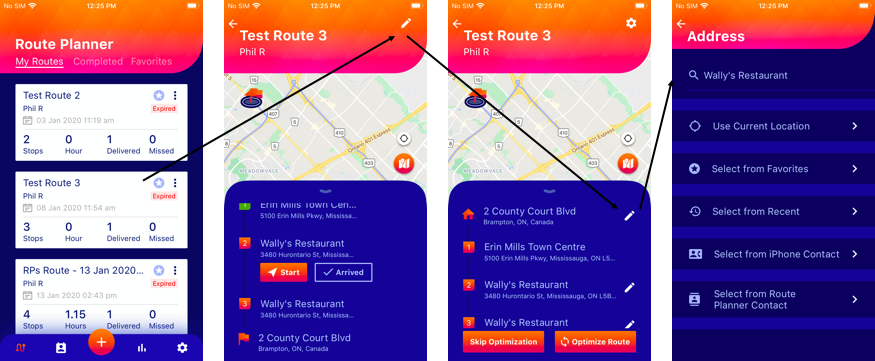
Route Planner App allows you to edit individual routes even after you have optimized the route, skipped optimization or you have already completed a few of your stops. You can still edit/change the remaining incomplete stops. To do so:
- Select the route you want to edit/change the stops of
- Click the edit icon on the top right of the screen
- Click on the edit icon next to the stop you want to edit/change
Edit/change or replace the stop from any options visible on the screen
 on the top right of the screen
 next to the stop you want to edit/change